Demo Video
This demo video has been created to show how this retail installation would be set up and how the individual apps work. It also gives an idea of how they will look together in a retail setting, how the designs work together.



Overview
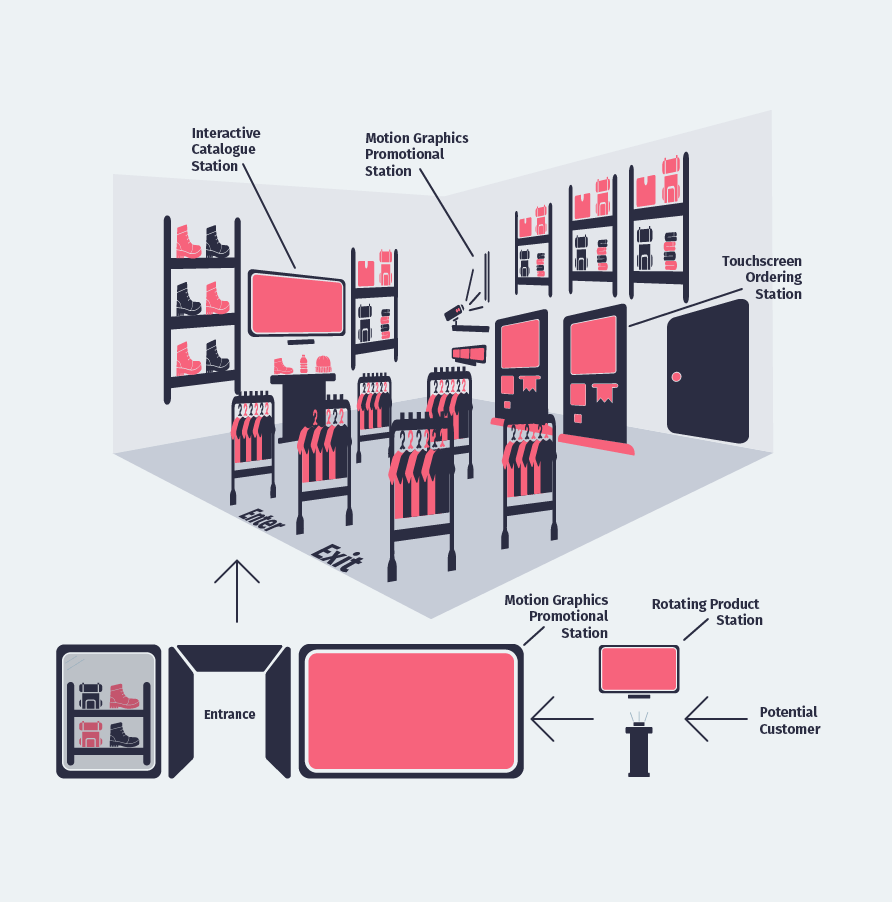
The retail installation comprises four different components strategically positioned for an engaging shopping experience. The four components, Rotating Product Experience, Interactive Catalogue, Motion Graphics Promotional Videos and Touchscreen Outfit Selector, all have unique interactivity.
Rotating Product Experience
Kiosk in the mall's hallway, captivates passersby with its rotating product displays. Its prominent placement generates curiosity & encourages foot traffic into the store. At the entrance to the store, a large screen showcases captivating Motion Graphics Promotional videos, further piquing customer interest and enticing them to enter the store.
Interactive Catalogue
Positioned to the left upon entering the store, this station allows customers to physically engage with select products they may have encountered in the Rotating Product Station, promotional videos, or on shelves and racks. It offers a hands-on exploration of featured items.
Motion Graphics Promotional Videos
Positioned along the back wall of the store, this station empowers users to customize their shopping experience by selecting videos using QR codes. These dynamic videos provide valuable insights and enhance product awareness. Same videos play in a predetermined loop on the large screen beside the entrance.
Touchscreen Outfit Selector
Placed adjacent to the motion graphics promotional station, along the back wall. Two of these stations are available for customers to conveniently place orders. Additionally, employees will always be available for retrieving the order based on the receipt generated by the touchscreen. There is a designated access area for employees, facilitating easier & faster product retrieval from storage. For a seamless exit, customers can conveniently depart through the exit located adjacent to the entrance, ensuring a straightforward and user-friendly shopping journey.
Roles
- User Interface Designer
- Photographer/Videographer
- Motion Graphics Artist
- Front End Web Development including GSAP animations
Deliverables
- Interactive Catalogue
- 360° Rotating Product Experience
- Touchscreen Outfit Selector
- Motion Graphics Videos
- Apparel Designs
Project Specifications
- Create visually appealing designs for each of the stations.
- Capture, edit and enhance visual media to be used in the designs.
- All three stations will have a visually appealing looping screensaver video that will capture the viewer's attention.
- Interactive Catalogue and Rotating Product Experience will have highlight screens that provides more details about a particular product or feature of the product.
- Have checks and feedback for user errors in all stations.
- Adhere to the created branding to keep all the stations in the installation consistent with one another.
Process
The approach towards this project was a little different from other projects, as I began with creating an idea for how the installation could be implemented. This can be seen in the picture in the overview section.
I started the design process targeting one station at time. Beginning with sketches of the layouts.

Interactive Catalogue
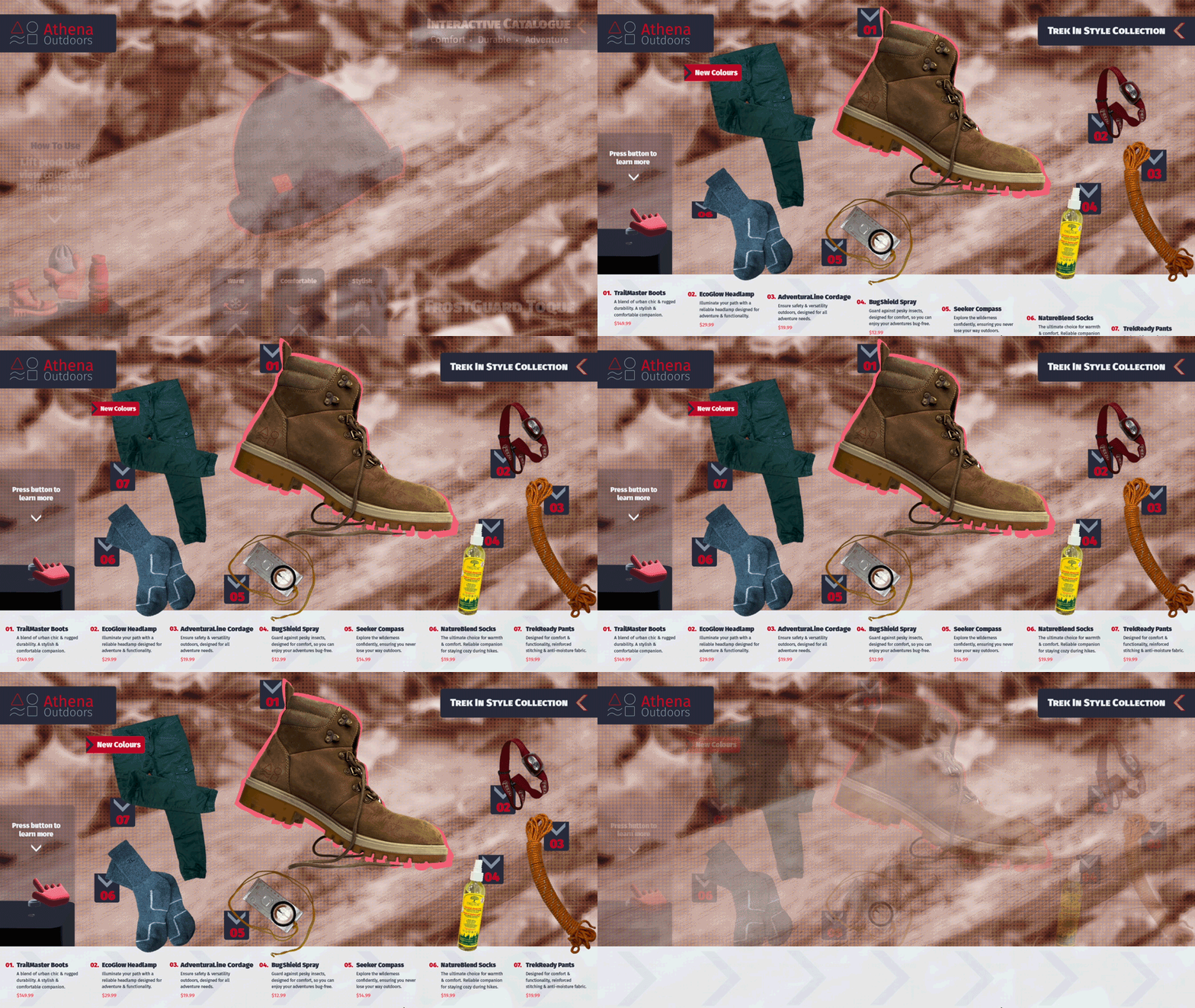
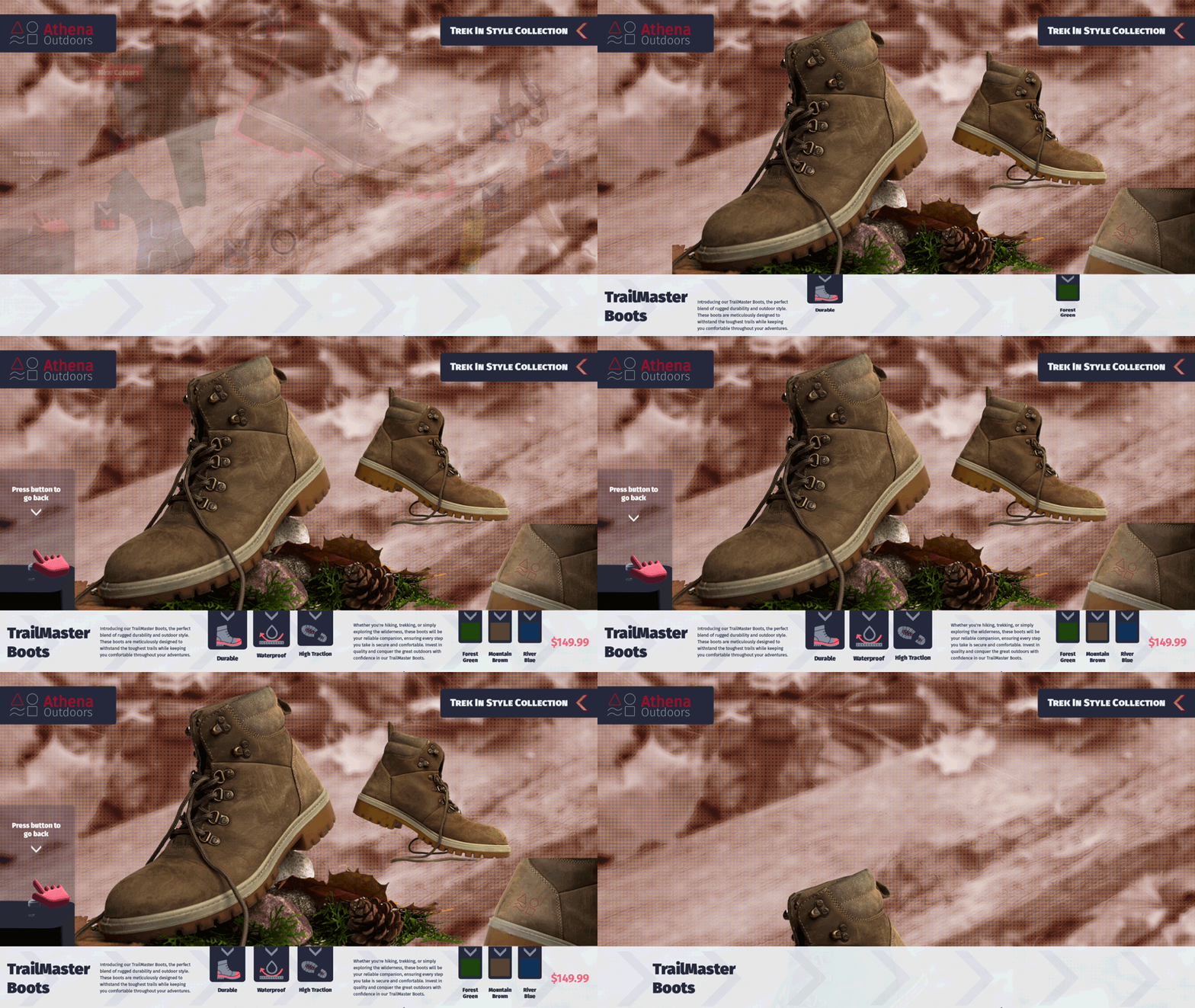
The purpose of this station was to let the users interact with real objects, when they pickup a product from the table, they are presented with a catalogue of items that go together with that product. It also has option for them to know more about the particular product in hand by pressing a button.
This station calls for 3 set of screens, first is a screensaver video that cycles through the 3 main products and invites the viewers to try out the Interactive Catalogue. Second is the catalogue screen for each of the products that shows 6 other items that go along with the picked product. Third is the highlight screen that is presented when the user presses the button in front of the picked item. This screen shows more details about the product that they have picked up.
360° Rotating Product Experience
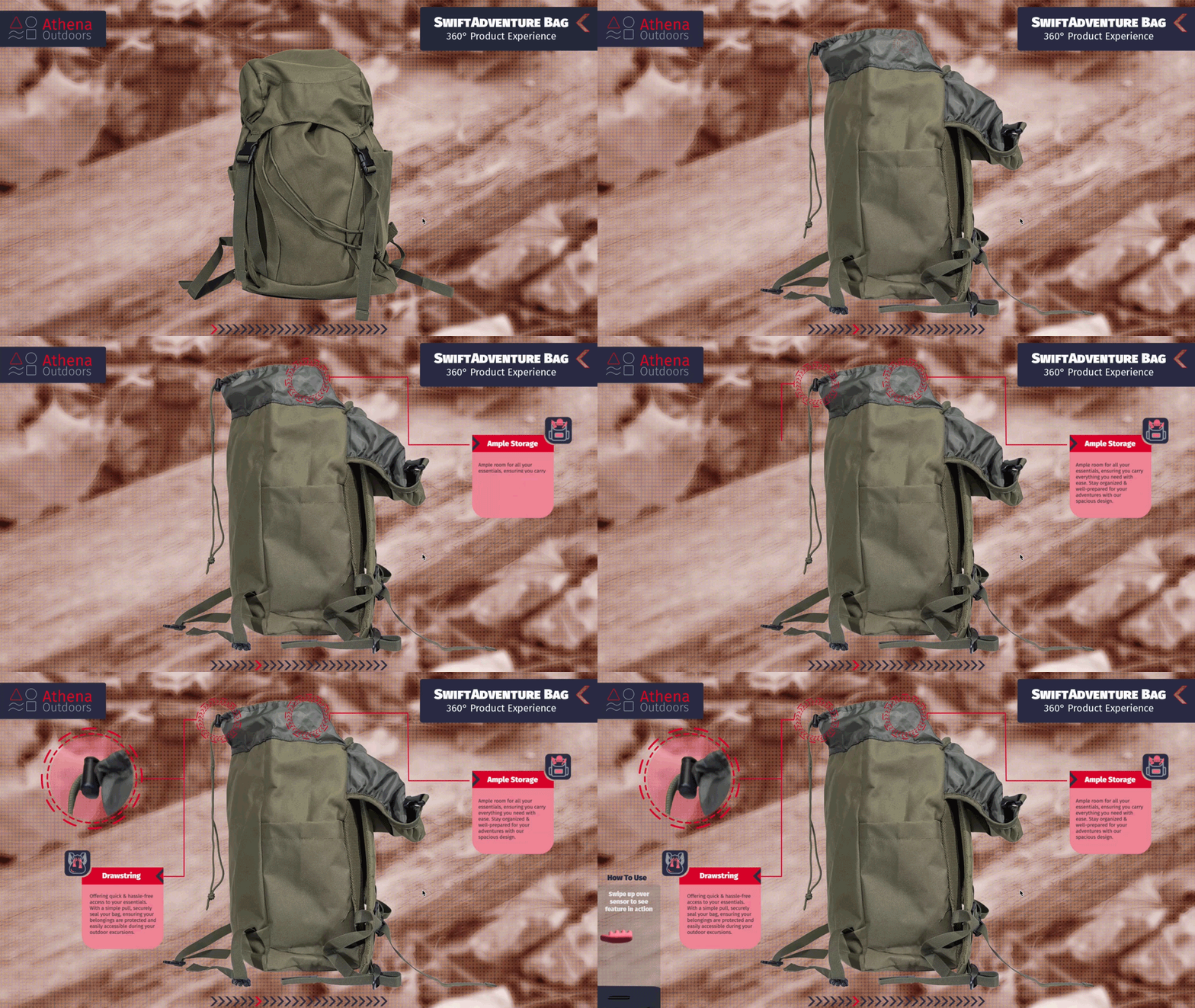
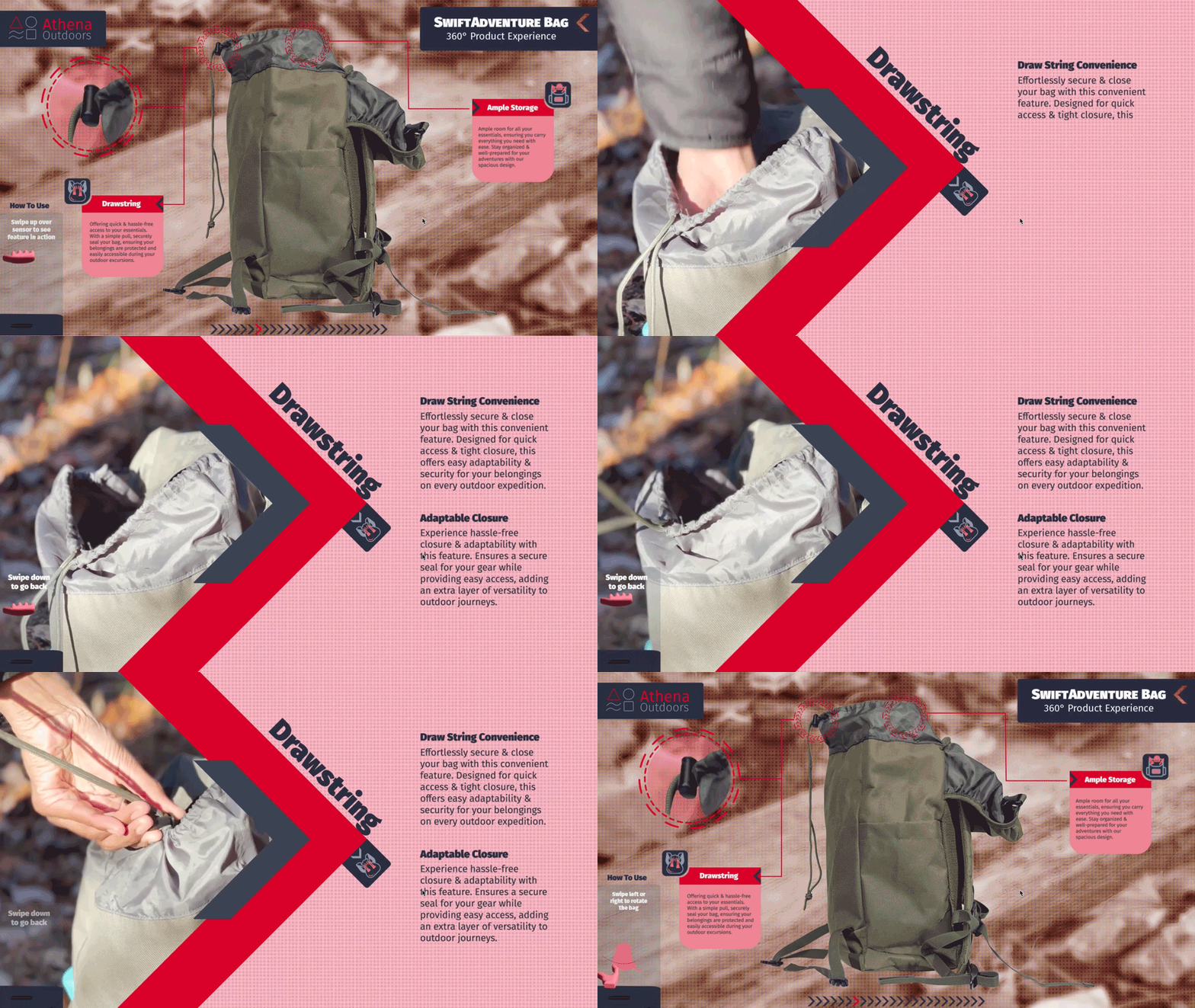
The purpose of this station was to showcase the SwiftAdventure Bag to the users. This station provides the user with the ability to interact with a Leap Motion Controller to get a 360° view of the bag. The users can hold their hand above the controller and swipe left or right to rotate the bag. Each quarter rotation has a stop point that will show more features of the bag. Swiping up would show more details about a particular feature.
This station called for meticulously photographing the bag from 24 angles around the bag. Each image was then edited and color corrected to be used in the design. Each of the 4 stop points are motion graphic videos that showcases the 2 features of the bag currently visible at that angle. The highlight screens are also motion graphic videos that show one of the feature in use and more details about it.
Touchscreen Outfit Selector
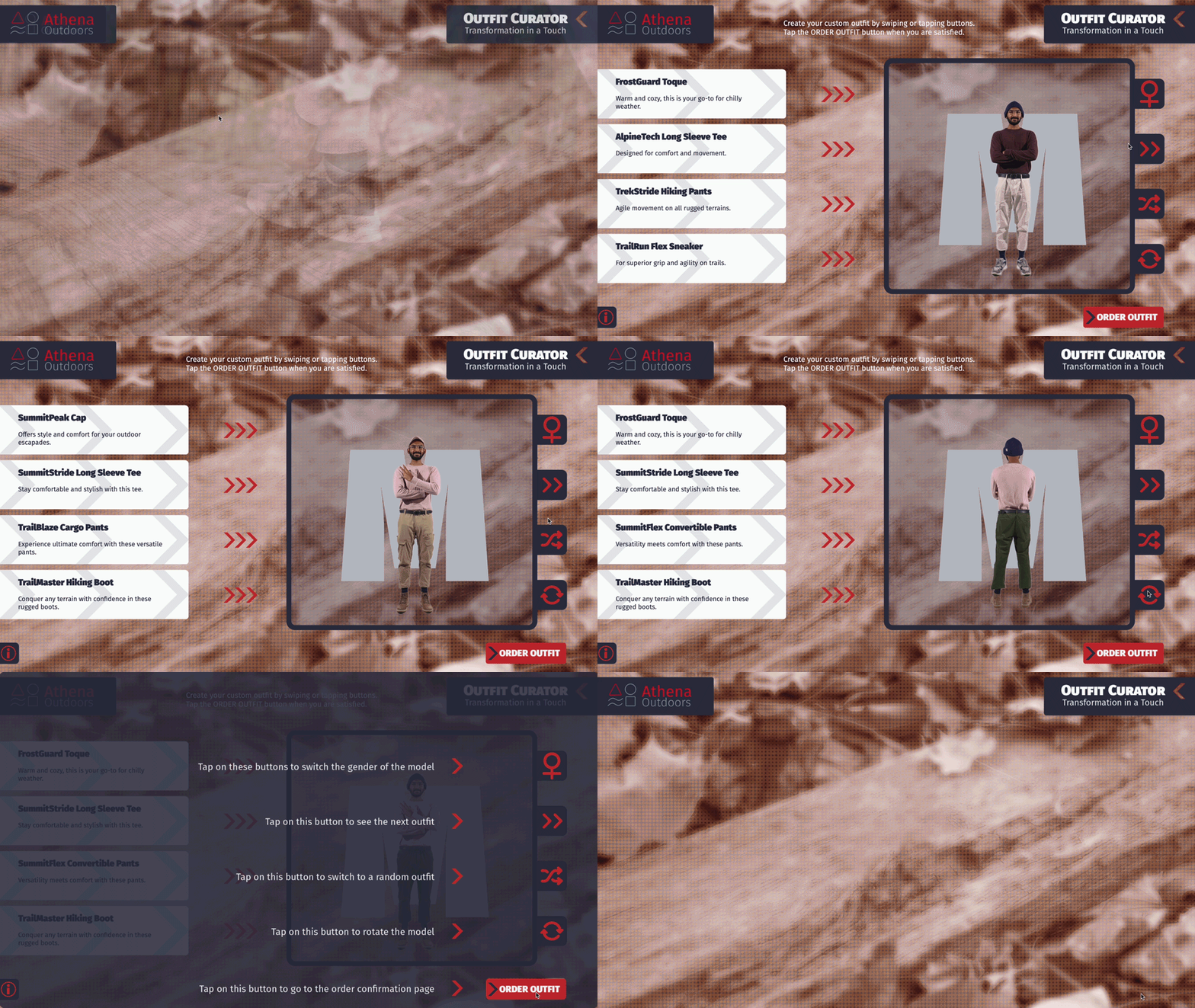
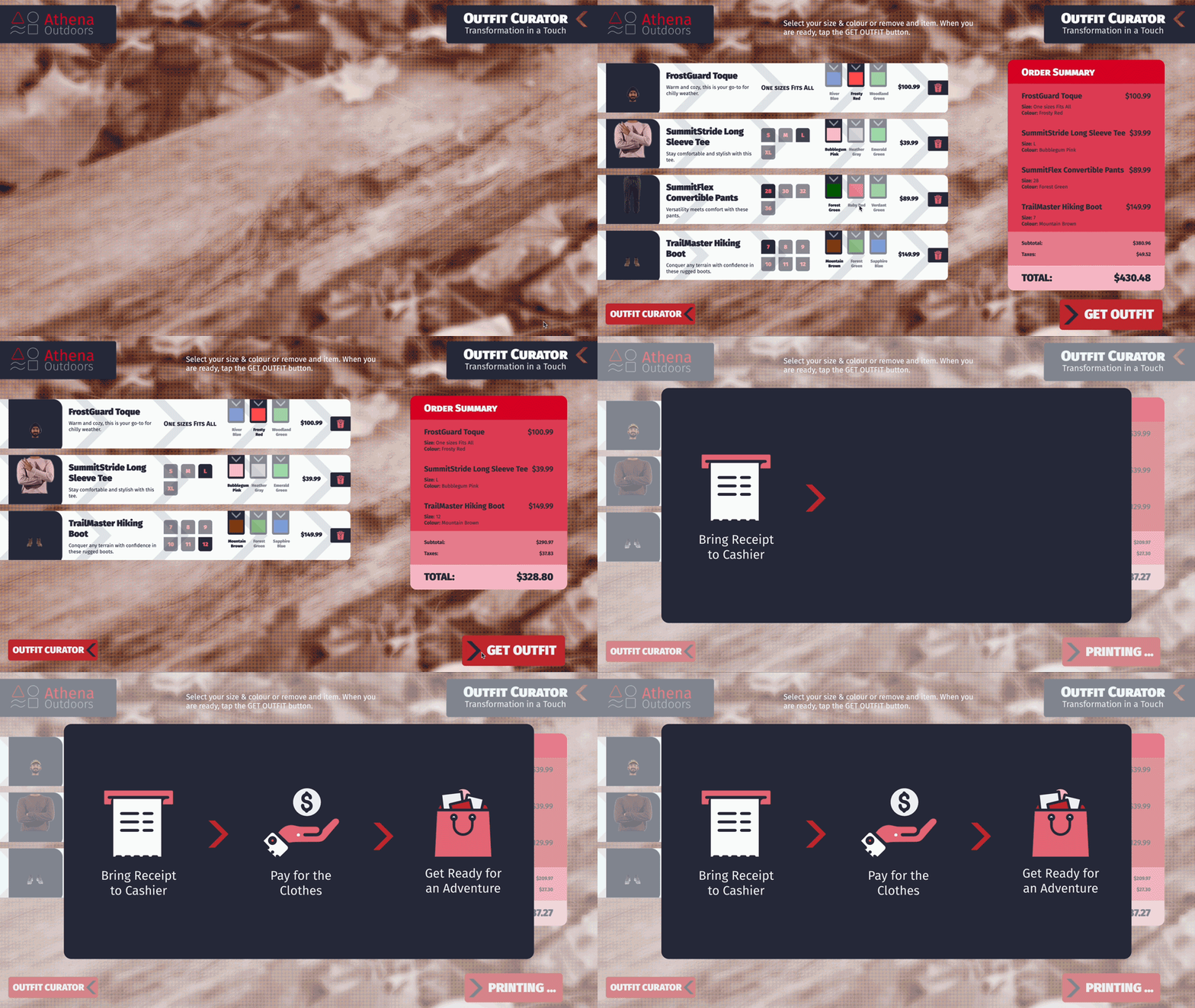
The purpose of this station was to provide the users an easy and familiar experience of selecting outfit on a touchscreen. The outfit selector shows the outfit on real models, giving the users a better understanding of the fit of the clothes. It shows the models from front and back. It has make and female models. The users can mix and match the various outfits available. Once satisfied with the outfit, they can move on to the next screen, where they can choose the colors and sizes. There is option to remove pieces from the outfit that they don't need. A receipt with the cost of the outfit is also shown. The users can the choose to place the order, upon doing so, the receipt will be printed and the user can present the same to the cashier, pay for the order and collect their outfit.
This station called for meticulously photographing 3 outfits, front and back for 2 models. After which, each piece of the outfit was separated, resulting in a total of 48 images. These images are layed out in the code framework in a slider format, allowing the user to swipe left or right to change the outfit.
Motion Graphics Videos
The purpose of this station is to excite the viewers with visually appealing motion graphics videos. The videos show the various uses of the products in real life and invites the viewers to experience the same by interacting and buying from the brand.
This station involved the capture of footage outdoors, in the wild, performing adventure activities and experiencing the outdoors. After which, it was edited and motion graphics were added to enhance the visual appeal and match the brand aesthetic.
Icons
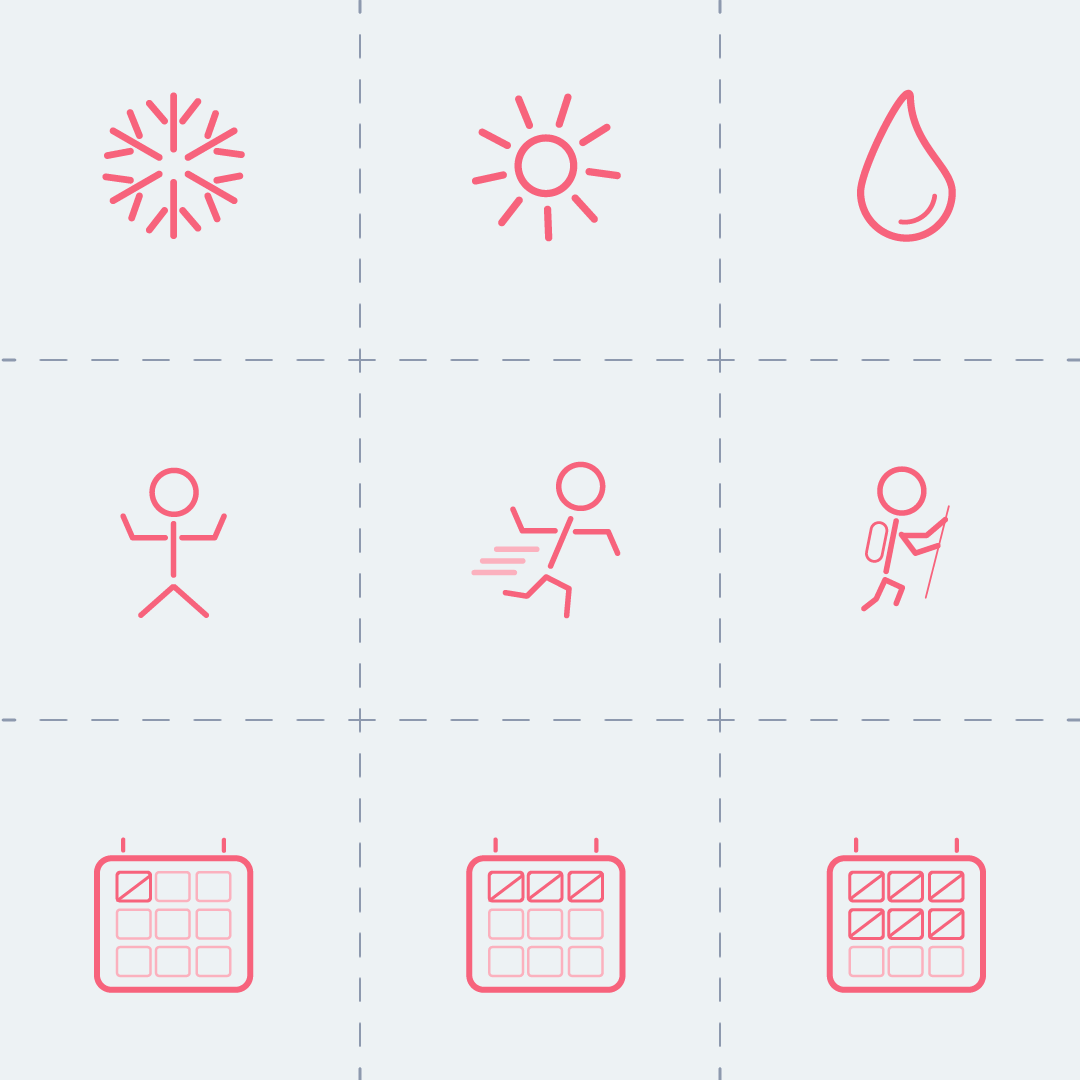
Icons that indicated the ideal usage of a product in terms of weather (snow, sun, rain) and type of excerise (walking, running, hiking) were created for apparel. Icons that indicated ideal number of days a backpack can be used for (one, three, five) were also created.
Care was taken to make sure the icons matched the branding and that it was similar to the icons that one may find else where in the brand's products.
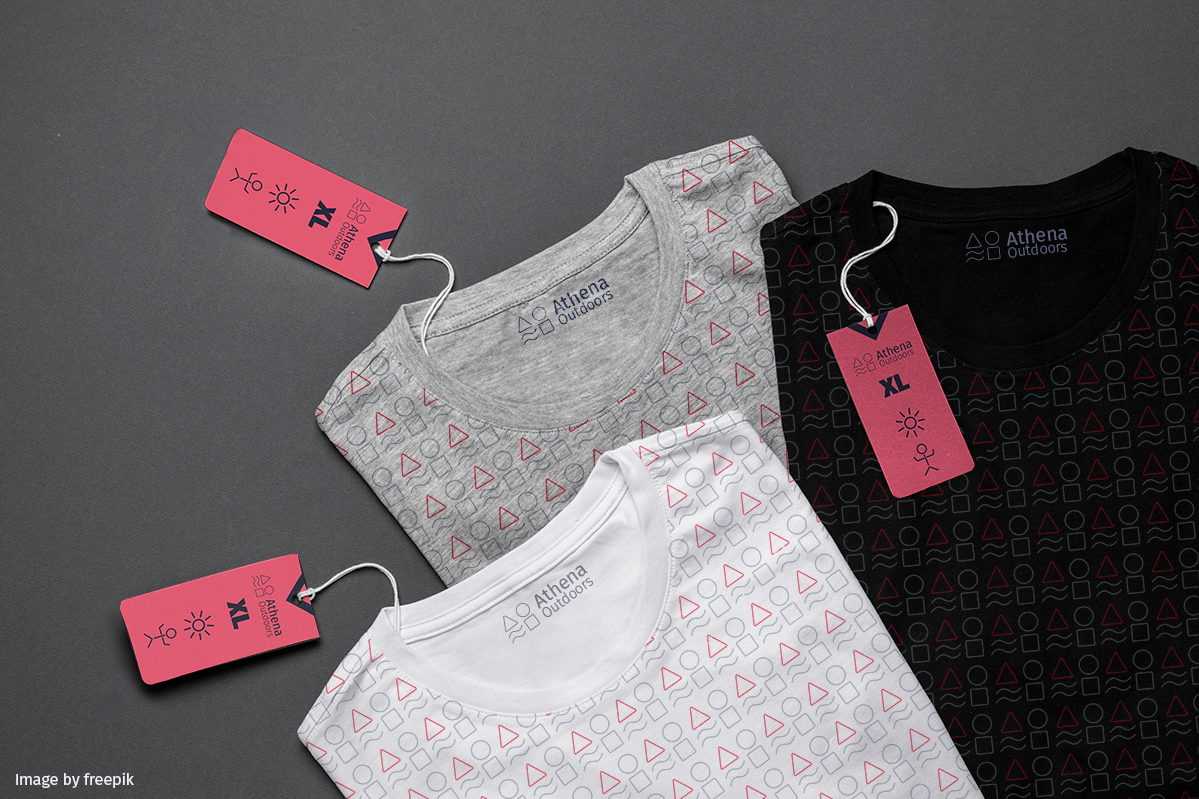
Tag
Any apparel requires tags, they are quick way for customers to know the size, ideal usage weather and type of activity. It is also branded with the company logo. It uses the brand colors as well, standing out amidst the other generic tags.
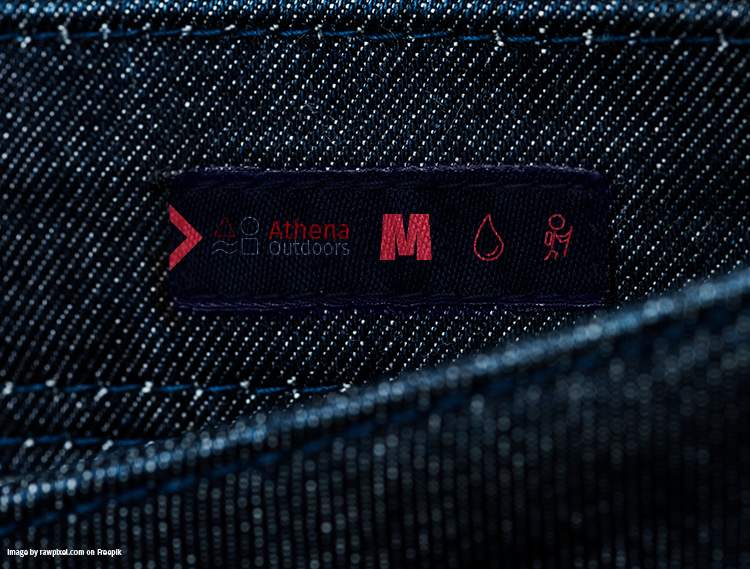
Patches
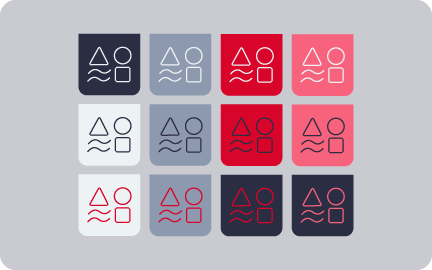
Designed to convey information like size, ideal weather and type of activity for use. It follows the branding and uses the icons that were established.
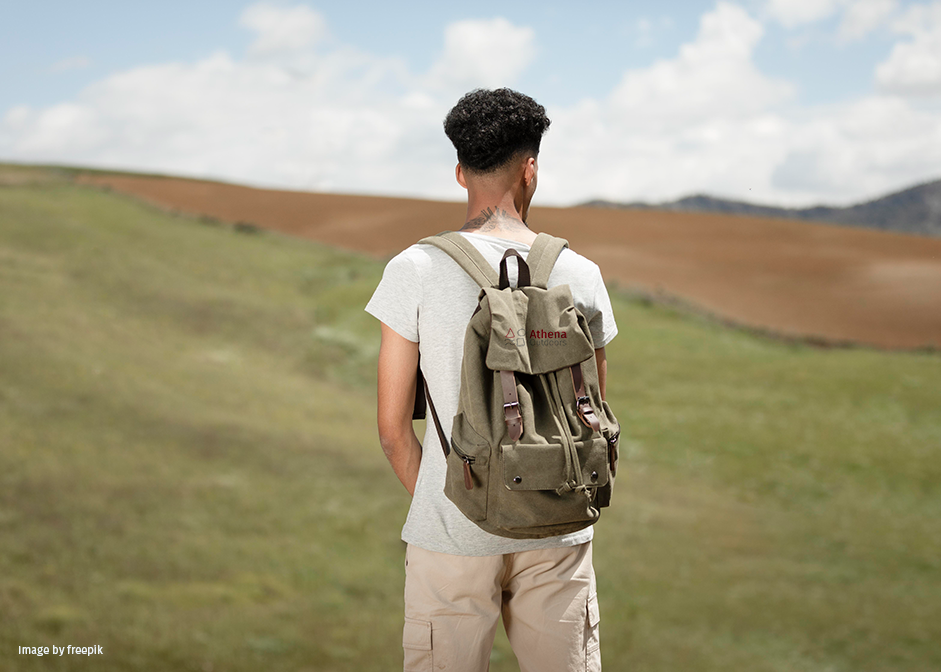
Apparel & Gear
Apparel and Gear design is crucial in making or breaking a brand. Here are samples of one apparel (sweater) and one gear (backpack) design. They feature minimal design as the target audiance tend to prefer more minimalistic designs. The company logo is present in full on the bag and as the icon on the sweater, further establishing the brand.

Marketing Video
This video was created for the purpose of sharing on social media. Due to the immense popularity of shortform content platforms in the present day, it is vital for any brand to have a clear strategy and design for their marketing videos.
Care was taken to make sure the video matched the branding and that it was similar to the other motiongrahics videos that one may find else where in the brand's products. Infact the video is more or less a reformatting of one the motiongraphics videos.
Takeaways
The key takeaway from this project was the comprehensive journey through the UI/UX design and development. As the only person involved in design, creating assets and developing the project, I was able to get hands-on experience in all these fields and gain project management skills.
I was able to tackle and successfully overcome various challenges throughout the stages of the project, thereby presenting opportunities to learn and improve my skills. I also understood the ins and outs of working with an existing brand, framework of code and also rebranding.
Tools Used